.svg)


Product update: Collection bundles
Bundles from a whole collection, post-purchase offers that refund shipping when they unlock free shipping, and any image on any offer.
TL;DR: You can now build a bundle from a whole Shopify collection instead of picking products one by one. When an accepted post-purchase offer pushes an order over your free-shipping threshold, UpsellPlus refunds the shipping automatically. And you can add any image to any offer, plus a styleable countdown timer and cleaner multi-product layouts.
What's new in this update
- Collection bundles: "Buy any 5 from this collection" that stays in sync as the collection changes.
- Free shipping unlock after checkout: shipping is refunded automatically when a post-purchase upsell crosses the threshold.
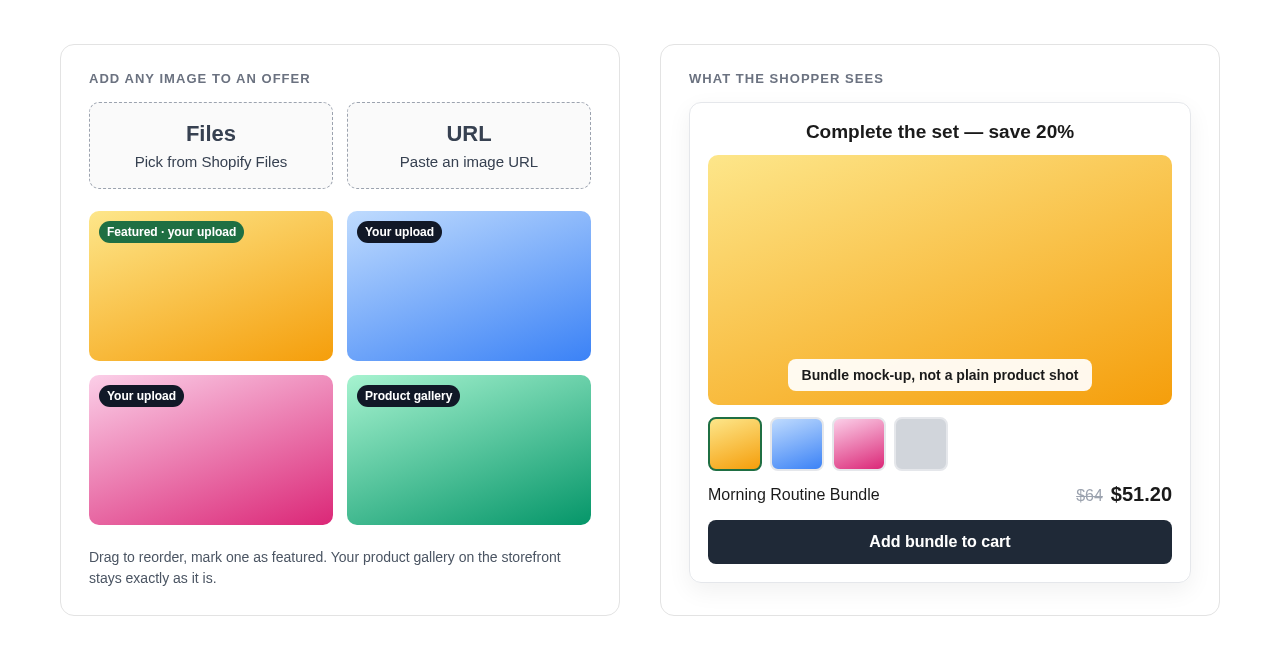
- Any image on any offer: use a lifestyle shot or bundle mock-up without touching the product gallery.
Bundles from a whole collection
Pick a collection instead of products. "Buy any 5 from Newborn, get 15% off" takes two minutes and stays in sync as the collection changes: add or remove products in Shopify and the bundle updates itself. The Buy X rule works at collection level too, which is perfect for "buy 5 from this category, get a free gift".

Post-purchase offers that unlock free shipping, automatically
When an accepted post-purchase offer pushes the order over your free-shipping threshold, UpsellPlus refunds the shipping the shopper already paid and tells them so on the offer page. That means more accepted upsells and no more "can I get my shipping back?" tickets.

Any image on any offer
Add a lifestyle shot or bundle mock-up from Shopify Files or a URL without touching the product gallery. This update also adds a styleable post-purchase countdown timer and multi-product layouts that wrap into clean rows of three.
Frequently asked questions
Can I build an UpsellPlus bundle from a Shopify collection?
Yes. Pick a collection instead of individual products, for example "buy any 5 from Newborn, get 15% off". The bundle stays in sync as products are added to or removed from the collection.
What happens to shipping when a post-purchase upsell unlocks free shipping?
UpsellPlus refunds the shipping the shopper already paid and tells them so on the offer page.
Do I need to change my product gallery to use a different offer image?
No. You can add an image from Shopify Files or a URL to the offer itself.
Get started
All of these features are live in UpsellPlus today. Start for free with a 14-day free trial, or book a demo and we'll launch any of them with you.
Looking for more ideas? Read our posts on growing AOV with a free shipping upsell widget and the best Shopify post-purchase apps.


Jaap Vergote
Need help implementing this?

.svg)
Related Strategies

.svg)


Ready to make every order worth more?
.svg)
.svg)
.png)