.svg)


Product update: Klaviyo segment targeting
Edit the text in your cart drawer, target offers by Klaviyo segment, and add Learn More links so shoppers can check a product first.
TL;DR: You can now edit the text throughout your cart drawer so it matches your brand voice, show offers to the exact Klaviyo segments you've built, and add a "Learn More" link to any product in an offer.
What's new in this update
- Cart drawer text: make every line sound like your brand.
- Klaviyo segment targeting: show offers to VIPs, repeat buyers or subscribers.
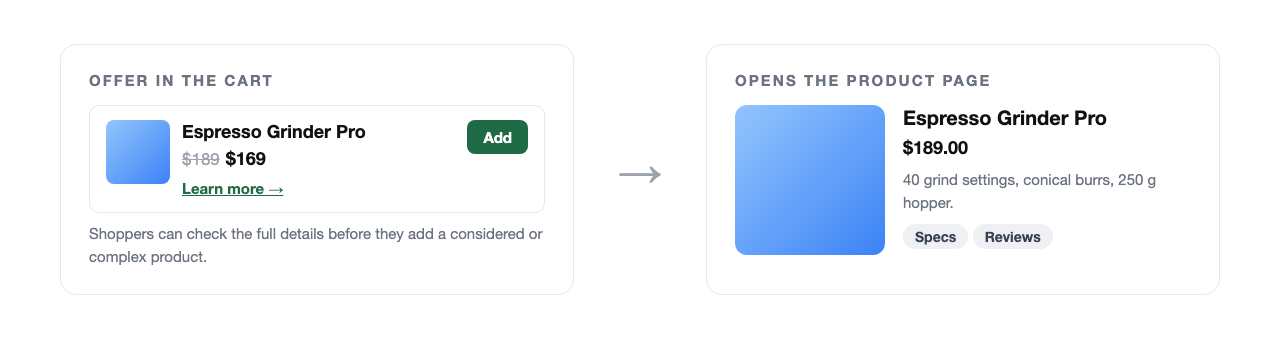
- "Learn More" links: let shoppers view the product page before adding.
Make the cart drawer sound like your brand
You can now edit the text throughout your cart drawer, from the cart name to the surrounding copy, so it matches your brand voice. It sits right alongside the fonts, colours and layout you already control.

Target offers by Klaviyo segment
Already segmenting in Klaviyo? Show offers to the exact segments you've built, such as VIPs, repeat buyers or subscribers, so the right shopper sees the right offer on your store, in sync with your email.

Guide shoppers with "Learn More" links
Add a "Learn More" link to any product in an offer so shoppers can view the full product page before adding it. It's ideal for considered or complex purchases.
Frequently asked questions
Can I change the text in the UpsellPlus cart drawer?
Yes. You can edit the text throughout the cart drawer, from the cart name to the surrounding copy.
Can UpsellPlus show offers to Klaviyo segments?
Yes. You can target offers to the segments you already built in Klaviyo, such as VIPs, repeat buyers or subscribers.
What does a "Learn More" link on an offer do?
It lets shoppers open the full product page before they add the product to their order.
Get started
All of these features are live in UpsellPlus today. Start for free with a 14-day free trial, or book a demo and we'll launch any of them with you.
Looking for more ideas? Read our posts on the Plus cart drawer and the best in-cart upsell apps.


Jaap Vergote
Need help implementing this?

.svg)
Related Strategies
.svg)


Ready to make every order worth more?
.svg)
.svg)
.png)