.svg)


Product update: Subscription upgrades post purchase
Turn one-time buyers into subscribers after checkout, show offers on the Order Status page, and style offers by clicking the preview.
TL;DR: You can now offer the subscription version of the item a shopper just bought, right after checkout. UpsellPlus creates the subscription and refunds the difference automatically (beta). This update also adds offers on the Order Status page, a bolder post-purchase layout, and a preview you can click to style.
What's new in this update
- Subscription upgrades (beta): turn a one-time purchase into a subscription after checkout.
- Order Status page offers: reach shoppers every time they check on delivery.
- A bolder post-purchase offer: full-width headline, large product image and up to three pages.
- Click to style: click any part of the preview to jump to its settings.
Upgrade one-time buyers to a subscription (beta)
Offer the subscription version of the item the shopper just bought. If they accept, UpsellPlus creates the subscription in your subscription platform and refunds the difference to the shopper automatically. This feature is currently in beta.

Want to try it? Book a demo.
Show offers on the Order Status page
Shoppers return to the Order Status page again and again to check on delivery. You can now show UpsellPlus offers there too.

How to set it up
- Add the UpsellPlus block to the Order Status page in Shopify's checkout editor.
- Open your offer and pick the placement in its Funnel settings.
A bolder post-purchase offer
The new post-purchase layout has a full-width headline above the timer and a large product image beside the title, price and description. Choose image-left or image-right, set the width, and preview it full screen on desktop and mobile inside Shopify's post-purchase frame, exactly like the live offer. You can also show up to three subsequent upsell or downsell pages.
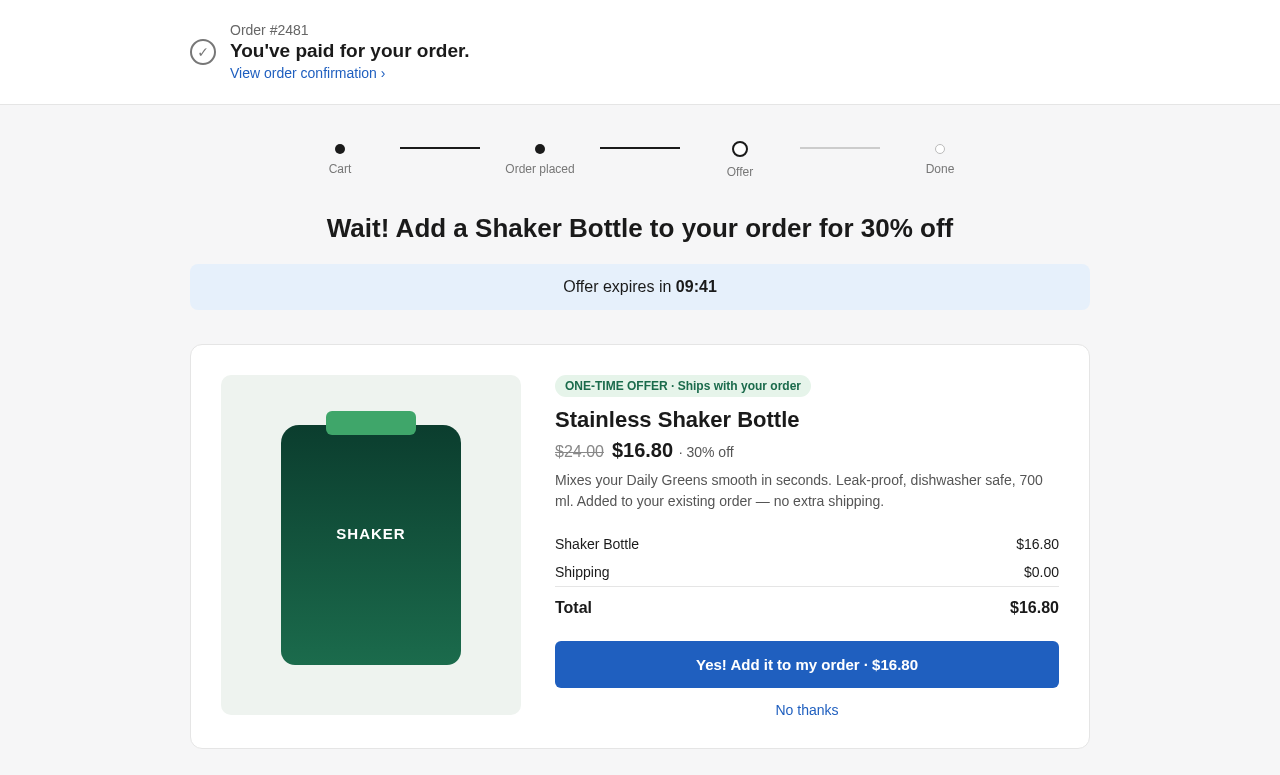
Click any part of the preview to style it
Click the price, image, button or any other element in the live preview and jump straight to its settings. Less hunting through panels, more time on the offer.

Small things that save a headache:
- A warning when a selected collection has no products.
- A one-click "Use product description" button for the subtitle.
- A "Remove" action on line items that follows the shopper's language across ten locales.
Frequently asked questions
Can I upgrade a one-time purchase to a subscription after checkout?
Yes, in beta. UpsellPlus offers the subscription version of the item on the post-purchase page, creates the subscription in your subscription platform and refunds the difference automatically.
Can UpsellPlus show offers on the Shopify Order Status page?
Yes. Add the UpsellPlus block to the Order Status page in Shopify's checkout editor and pick the placement in your offer's Funnel settings.
How many post-purchase pages can I show?
Up to three subsequent upsell or downsell pages.
Get started
All of these features are live in UpsellPlus today. Start for free with a 14-day free trial, or book a demo and we'll launch any of them with you.
Looking for more ideas? Read our posts on upselling to subscriptions in your checkout and the best Shopify post-purchase apps.


Jaap Vergote
Need help implementing this?

.svg)
Related Strategies

.svg)


Ready to make every order worth more?
.svg)
.svg)
.png)